


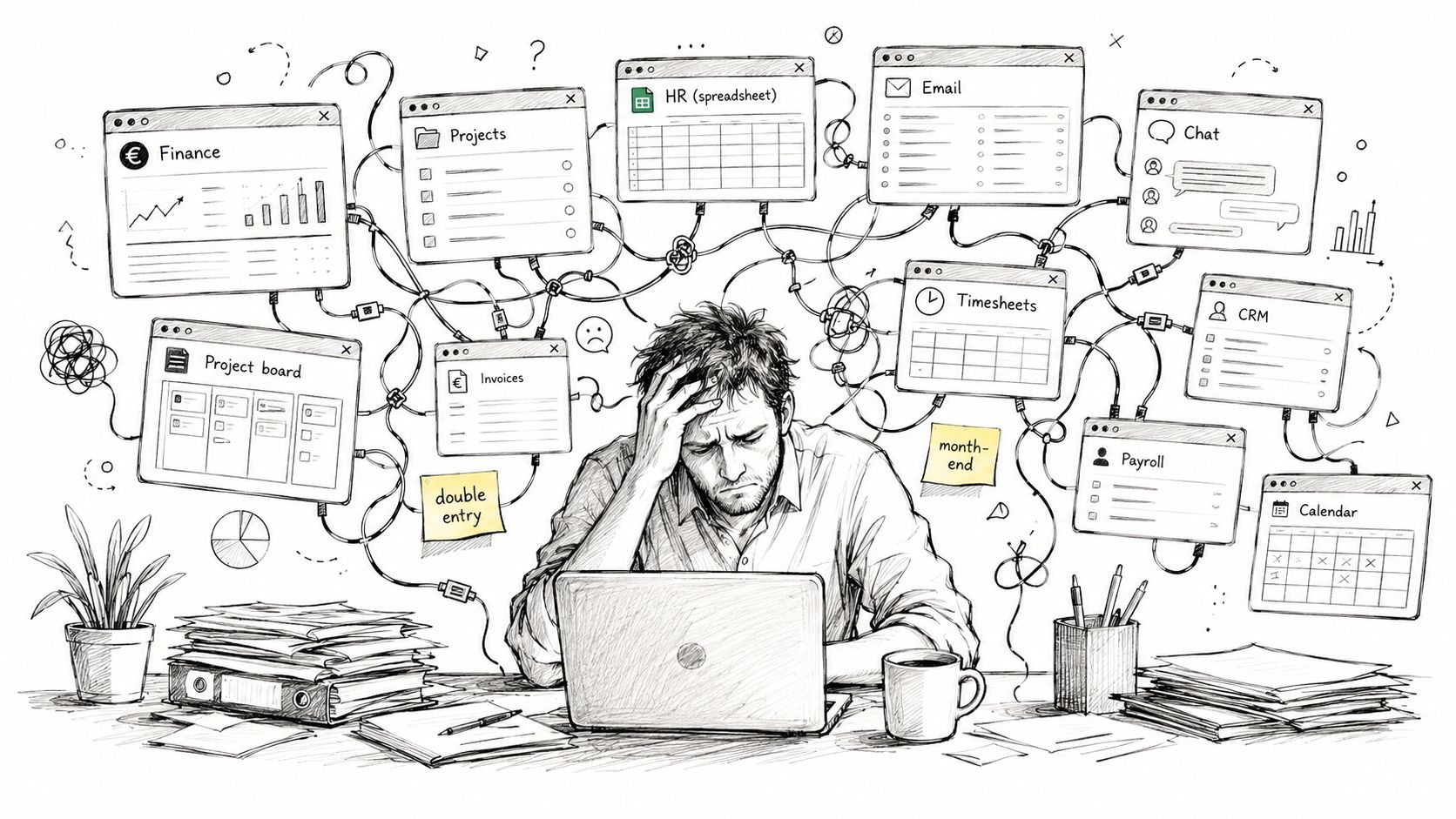
You're probably living with it right now, a messy stack of tools that grew one subscription at a time. Finance lives in one place, projects in another, HR is a spreadsheet, and client updates bounce between email, chat, and a board no one fully trusts. That's the primary reason people start searching for an ERP software comparison, because the pain isn't abstract, it shows up every day when someone has to retype the same data twice.
| What you're managing now | What usually goes wrong | What a single workspace changes |
|---|---|---|
| Finance, invoicing, and accounting | Manual reconciliation and late close | One ledger, fewer handoffs |
| Projects, time, and communication | Version mismatches and missing context | Shared data across tasks and updates |
| HR, operations, and sales | Separate logins and duplicated records | One operating picture for the team |
| Production or inventory | Workarounds and unclear traceability | Cleaner flow from order to output |
The point of ERP isn't to make your company look enterprise-sized. It's to stop the daily drag that comes from patching together systems that were never meant to run as one business.
Table of Contents
- The Tool Stack Most Small Businesses Are Stuck In
- The Six Criteria That Matter in an ERP Comparison
- Deployment Models and EU Data Residency Compared
- Functional Coverage for SMEs Without the Bloat
- AI Assistants Embedded Versus AI as an Add-On
- Pricing and Total Cost of Ownership Over Three Years
- Three SME Scenarios That Change the Right Answer
- Matching the Comparison to Your Shortlist
The Tool Stack Most Small Businesses Are Stuck In
A typical European SME doesn't have an ERP problem in the abstract. It has a tool-sprawl problem.
One person is updating invoices in accounting software. Another is managing clients in a project board. Someone else keeps the deadlines in a shared spreadsheet because the official system is never current enough. By Friday, the owner is asking why the numbers don't match, and nobody has a clean answer because the data lives in too many places.
Where the friction actually shows up
It starts with double entry. A sales quote gets approved in one tool, then someone retypes the order into another. The project lead updates hours in a time tracker, then finance chases the same figures again at month-end. Every handoff creates another chance for an error.
The true cost is the cleanup. Month-end close takes longer because nobody trusts that the inventory, invoices, and project data line up. People spend time reconciling instead of running the business, and the owner pays for that delay in cash flow, stress, and missed decisions.
The comparison should start with your current mess, not with a vendor demo.
Why ERP feels attractive
ERP looks attractive because it promises one operating system for the business. That promise matters more for an SME than for a giant company, because a small team can't afford to babysit five or six disconnected platforms. If the system doesn't reduce handoffs, it's just another login.
That's why this comparison has to be grounded in the reality of running a small company. You're not comparing against a large enterprise IT estate with admins, analysts, and consultants on standby. You're comparing against the day-to-day friction of a team that needs clean data, fast answers, and fewer tools to maintain.
The Six Criteria That Matter in an ERP Comparison
A good erp software comparison starts with the parts that shape daily work, not with the longest feature list. Independent benchmarks often score vendors across finance, procurement, manufacturing depth, deployment model, extensibility, multi-entity management, compliance, AI features, partner ecosystem, localization, integration architecture, user experience, and total cost of ownership, and one framework weights features at 40%, ease of use at 30%, and value at 30% ERP Pilot's comparison framework. That matters because a system that fits the workflow can beat a cheaper suite once you look at the actual cost of running it for three years.
1. Deployment model
Start here because deployment shapes everything else. Cloud, on-premises, and hybrid are not marketing labels, they decide how fast you can roll out, who manages the system, and where the data lives.
2. Functional coverage
Do not count modules, score workflows. Finance, invoicing, sales, HR, operations, and production matter more than a bloated catalog of tools nobody uses. For a small team, the right question is whether one system can replace the pile of separate apps that create handoffs, duplicate entry, and clean-up work.
3. Security and data residency
If you handle European customer, staff, or production data, the residency question is not optional. Audit trails, role-based access, and GDPR-aligned hosting should be treated as required, not as nice extras.
4. AI maturity
AI only matters if it sits inside the work people already do. Separate AI tabs and copy-paste workflows do not help a small team that is already stretched thin. An AI-native workspace is worth more than a feature badge if it reduces rekeying, shortens approvals, and keeps decisions inside one place.
5. Total cost of ownership
License price is only one part of the bill. You need to account for setup, training, support, maintenance, and the workarounds that appear after go-live. The bigger cost for SMEs is usually the operational drag from keeping multiple tools in sync, chasing missing data, and fixing avoidable errors.
6. Fit for small teams
A small team needs speed, clarity, and low maintenance. If a system needs a consultant every time someone wants to change a process, it is not a fit. The better choice is the platform that lets a lean team run finance, orders, projects, and operations without building a permanent admin burden.
Bottom line: the best ERP for a small business is the one that cuts operational drag for the team that has to run it every day.
Deployment Models and EU Data Residency Compared
A small team can lose more time arguing about deployment than choosing the system. The better question is simple, where will the data live, who controls access, and how much admin work will the choice create over three years.
By 2026, independent ERP comparison research found that 90% of the 40 systems analyzed offered a cloud deployment option, but only 33% were cloud-only and 63% still supported on-premise deployments ERP Research 2026. Cloud is the default starting point, but hybrid still has a place in larger or more constrained environments.
What that means in practice
A bakery in Frankfurt that sells B2B across the EU does not need a debate about deployment theory. It needs clean access control, audit trails, and hosting that does not create compliance noise. If customer orders, payroll data, and production records sit in the EU, the safest default is an EU-hosted platform with proper role-based access and GDPR-ready controls.
Zynthoro fits that reference point. It is built as an EU-hosted workspace with GDPR-ready controls, audit trails, and role-based access, so an SME does not have to stitch together separate hosting and data-processing arrangements across borders. For a small operation, that cuts the administrative overhead before the system even goes live.
Cloud only, on-premises, or hybrid
Cloud only is usually the simplest option for small teams. It cuts internal maintenance burden and suits businesses that want access from anywhere without building extra infrastructure work around it.
On-premises only makes sense when there is a specific constraint, not as the default choice. Hybrid is often the compromise when old systems, plant environments, or legacy integrations still exist. The mistake is choosing a deployment model because it sounds safer, without asking who will run it and pay for it.
| Deployment model | Best fit | Main trade-off |
|---|---|---|
| Cloud only | Small teams that want speed and low maintenance | Less control over infrastructure |
| On-premises | Businesses with strict internal infrastructure needs | More admin burden |
| Hybrid | Companies with legacy systems or mixed requirements | More complexity to manage |
If your customers, staff, or production data sit in the EU, default to an EU-hosted platform unless you have a specific reason not to.
Functional Coverage for SMEs Without the Bloat
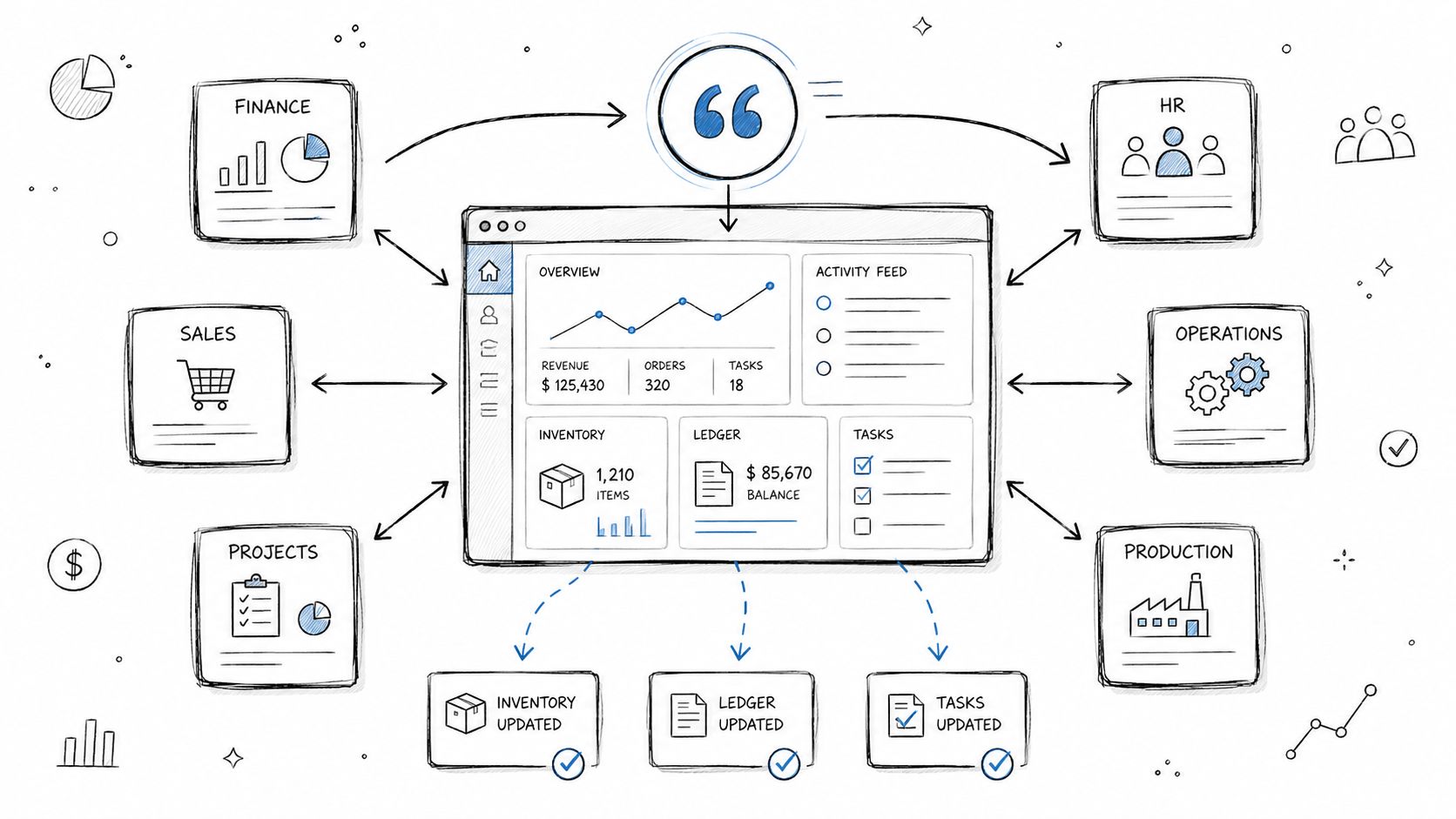
Small businesses don't need a giant ERP map with fifty modules they'll never touch. They need core coverage that removes retyping and keeps the numbers consistent. That means finance first, then invoicing, sales, HR, project tracking, and operations or light production.
What connected coverage looks like
Zynthoro brings planning, time tracking, purchase admin, sales admin, accounting, invoicing, project management, HR, operations, marketing, and compliance into one workspace. That matters because the difference isn't just the number of modules, it's the continuity of the data. A quote can turn into an order, then into a ledger entry, then into a project task without anyone retyping the same information.
That's the kind of flow SMEs need. Most patchwork SaaS stacks still make people log into one system for sales, another for accounting, and another for operations. Every extra handoff creates one more place where the numbers can drift.
Where Zynthoro goes beyond a basic SME suite
For businesses that make things, production depth matters. Zynthoro includes recipes, multi-level bill of materials, work orders, quality control, and lot traceability, which are the kinds of features many SMB systems leave for larger manufacturing suites. That's a useful distinction if you're in food, cosmetics, pharma, or light manufacturing and you need traceability without moving into enterprise complexity.
A practical snapshot of the lighter entry point is Kickstart 2, which includes finance and invoicing, a sales module, and an AI photo/video suite. It's a reminder that good ERP selection isn't about buying the biggest package. It's about matching the operational surface area you use.
If a quote, invoice, and production step all live in different tools, your team is paying a hidden tax every day.
AI Assistants Embedded Versus AI as an Add-On
AI is now part of ERP comparisons, but most vendors still get this wrong. They bolt it on as a separate layer, then ask your team to jump into another window, prompt a chatbot, copy the answer back, and hope nothing gets missed. That's not workflow, that's extra admin with a fancier label.
Embedded AI works because it stays inside the task
With Zynthoro, AI assistants such as Zyntha, Thoro, Zyona, and Zynthoro Assist live inside the modules people already use. They can draft campaign copy, summarize project status, capture time entries via voice on the production floor, and surface finance anomalies without forcing a context switch. That matters because adoption rises when AI removes friction instead of adding another tool to learn.
Bolt-on AI has a different shape. The user pays for another subscription, moves data into a separate chat window, and pastes the result back. For an SME without a data team, that's usually enough friction to kill usage after the first novelty wave.
What small teams should demand
The question isn't whether a vendor says it has AI. The question is whether the AI works where the work happens.
- Finance teams need anomaly detection inside the ledger or invoicing flow.
- Project teams need status summaries without rewriting updates manually.
- Production teams need voice capture and quick entries when their hands are busy.
- Marketing teams need copy and visuals inside the content workflow, not in another app.
A lighter reference point is Kickstarter, which includes AI assistants, planning and time tracking, and a communication module. That's enough to show the difference between embedded AI and separate AI, because the value comes from whether the assistant reduces switching.
Pricing and Total Cost of Ownership Over Three Years
ERP pricing is where buyers get fooled fast. A monthly fee looks tidy on paper, but it hides the costs that hit SME budgets hardest, implementation, training, support, maintenance, upgrades, and the time lost when people keep falling back to spreadsheets. Independent analysis has shown that many vendors price per user, some publish no starting price, and disclosed per-user plans vary widely. The same research also points to a much higher total cost of ownership once deployment is fully counted, which is why subscription comparisons alone are a weak way to choose ERP Research 2026.
Subscription is not the full cost
The fee on the quote is the easiest number to repeat in a meeting. It is also the least useful number if you are replacing disconnected tools.
The money that matters sits in implementation, training, maintenance, support, upgrades, and the productivity lost when staff keep using workarounds. For SMEs that are trying to replace several subscriptions with one system, those hidden costs decide whether the project lowers operating drag or just swaps one mess for another.
Three-year thinking is the right frame. A platform that looks cheap every month can become expensive once you add consultants, custom integrations, cleanup after go-live, and the extra admin that comes from poor fit. Terillium's comparison guidance tells buyers to estimate training, maintenance, support, and upgrades before they shortlist vendors Terillium ERP types guidance.
The budget frame small businesses should use
A sensible comparison starts with the size of the business and the amount of operational complexity it is carrying. Independent comparison guidance places small business ERP under 50 employees and under $10 million in revenue, with first-year costs of $60,000 to $300,000 for small businesses, $300,000 to $2 million for mid-market firms, and $2 million to $25 million+ for enterprise projects ERP comparison matrix. That is a far better reference point than obsessing over a low monthly subscription and pretending the rest of the bill will stay small.
Zynthoro's setup matters here because it replaces a spread of separate tools with one workspace and offers lifetime Kickstart licensing alongside monthly plans. Kickstart 3, for example, adds accounting and operations, project management, and marketing and content in a single lifetime-access package. The point is not to chase the cheapest sticker. It is to cut the number of places where money, time, and attention leak out over three years.
Practical rule: if the vendor cannot explain the full three-year operating cost, the monthly price does not mean much.
Three SME Scenarios That Change the Right Answer
The right ERP shape changes with the business. A digital agency, a food manufacturer, and a solo founder are all SMEs, but they need very different levels of depth.
A 15-person agency juggling clients
An agency needs connected project management, time tracking, invoicing, and content workflows. It doesn't need a heavy manufacturing suite, but it does need clean handoff between billable time, client work, and finance.
A packaged option like Agency bundles accounting, inventory, project management, marketing, and multiple workspaces into one non-ERP suite. That kind of setup fits teams that care more about delivery and client flow than classic production planning. If the agency keeps bouncing between spreadsheets and separate trackers, a connected workspace still wins because it stops the duplication.
A small manufacturer with EU retail customers
A food or cosmetics business with around fifty staff has a different problem. It needs recipes, bill of materials, lot traceability, quality control, and EU-hosted data. In that case, Zynthoro's production modules make sense because they cover the operational details that lightweight SaaS stacks usually ignore.
The comparison gets real. If the system can't trace a lot, manage a work order, and keep the ledger aligned with production, the feature list doesn't matter much. A cheap front-end with no production depth turns into manual work later.
A solo founder formalizing operations
A founder going from ad hoc chaos to a real operating system needs the lightest possible setup that still connects planning, content, and finance. A starter workspace is the right answer here, not a full-blown enterprise ERP.
The wrong move is buying for tomorrow's fantasy org chart. Start with the operational load you have now, then expand only when the team and workflow justify it.
Matching the Comparison to Your Shortlist
Use the same logic across every vendor you compare. If you handle EU customer data, prioritize EU hosting and GDPR controls. If you're replacing many subscriptions, prioritize consolidation and a wide module set. If your team is small and non-technical, prioritize embedded AI and responsive design across phone, tablet, and desktop.
Zynthoro fits SMEs that want one workspace for finance, operations, sales, HR, and light production, with EU hosting and embedded AI already in the workflow. Public recognition signals like selection for the Anthropic Claude for Startups program and a 2026 XPRIZE nomination are credibility markers, not the main reason to buy, but they do tell you the platform isn't a one-off product experiment.
Choose the ERP that minimizes operational drag for the team that will use it daily. Three-year total cost of ownership will matter far more than the monthly subscription.
If you're comparing ERP options because your team is tired of disconnected tools, start with Zynthoro and measure it against your current operating burden, not a feature checklist. Visit Zynthoro to see how a single EU-hosted workspace can replace scattered systems, reduce daily admin, and give your team one place to run finance, sales, operations, and production.