


The request starts in an email. The stock figure sits in a spreadsheet. Approval waits inside a chat thread, and finance later tries to match a supplier invoice with a purchase order and receiving note by hand. By the time someone finds the right version, the supplier may already be asking for an update, while the warehouse still doesn't know whether the order is confirmed.
That pattern is common in growing SMEs because purchasing often expands faster than the systems supporting it. The problem isn't just slow PO creation. Disconnected tools create approval delays, unclear supplier communication, inaccurate stock information, reconciliation work, weak spend control, and difficult audits.
This guide compares eight purchase order automation capabilities through those operational problems. The right fit isn't the platform with the longest feature list. It's the one that keeps purchasing data reliable from request through payment, while leaving unusual exceptions with the right human reviewer.
Central benefit: automation matters when it preserves one reliable purchasing record from request through payment.
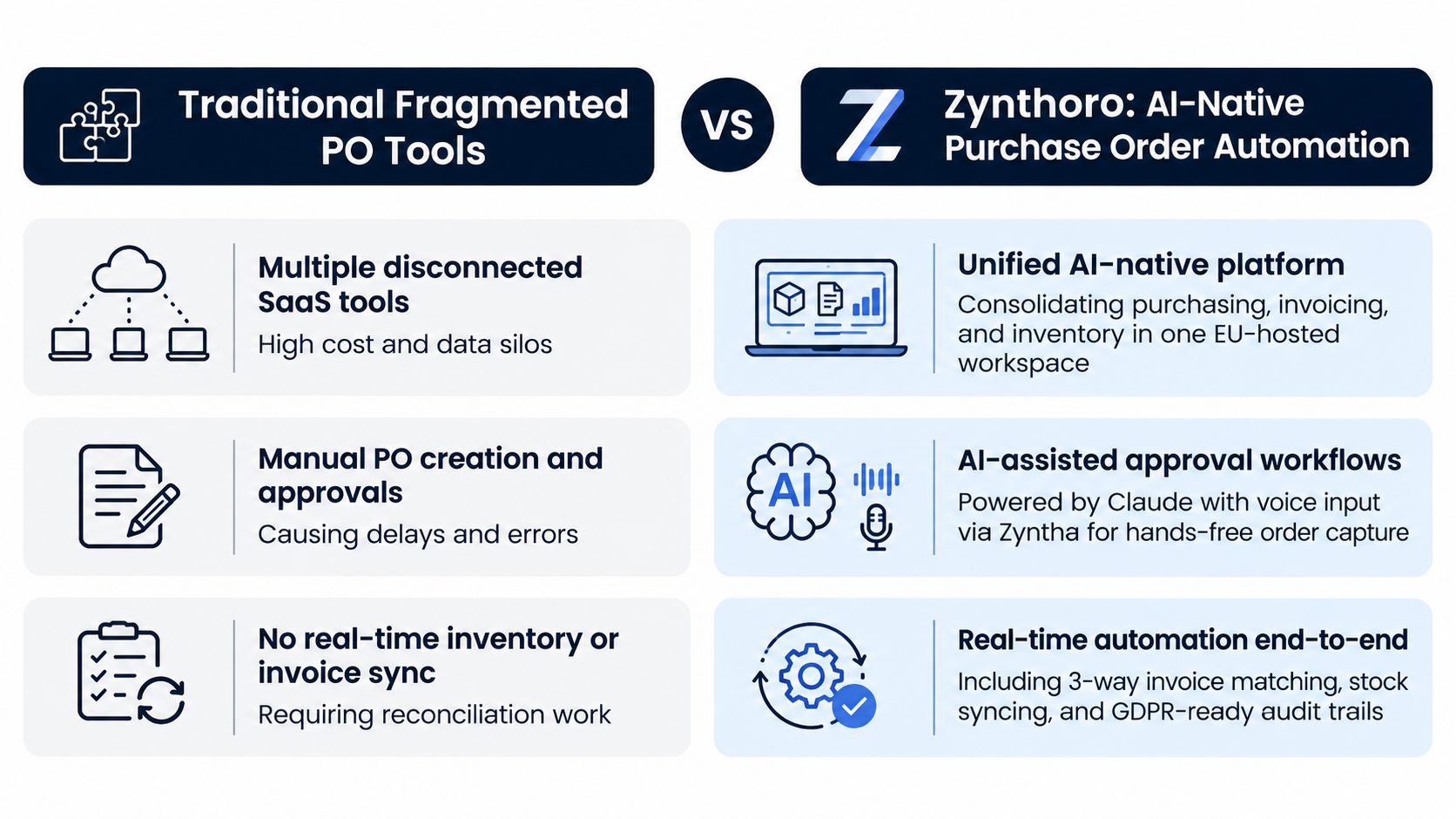
Zynthoro connects purchasing, inventory, finance, approvals, and supplier activity in one EU-hosted workspace, giving SMEs an alternative to stitching together separate tools.
Table of Contents
- 1. Zynthoro AI-Native Purchase Order Automation
- 2. Purchase Order Templates and Customizable Workflows
- 3. Supplier Portal Integration and Self-Service Ordering
- 4. Approval Workflows and Authorization Rules
- 5. Invoice Matching and Three-Way Reconciliation Automation
- 6. Inventory and Stock Level Integration with Purchase Orders
- 7. Purchase Analytics and Spend Visibility Dashboards
- 8. Audit Trails and Compliance Reporting for Purchase Controls
- Purchase Order Automation, 8-Resource Feature Comparison
- Build a Purchase Process That Holds Together
1. Zynthoro AI-Native Purchase Order Automation
Zynthoro is built around the problem many small businesses feel first, too many systems carrying partial versions of the same purchase. Its Purchase Administration module brings supplier orders, approvals, inventory updates, invoicing, and accounting into one connected workflow. Instead of creating a PO in one application, checking stock somewhere else, and retyping the details for finance, the same record can travel through the purchasing process.
That connection is particularly useful for SMEs with lean finance teams. A food manufacturer can create an order while checking current stock, route it to the appropriate approver, and pass the approved PO into accounting without a second round of data entry. A cosmetics business can connect purchasing with production requirements, while a digital agency can keep recurring software suppliers in a more controlled purchasing record.
Where the AI earns its place
AI is most useful when it removes small administrative interruptions rather than taking responsibility for every decision. Zynthoro's embedded assistants can help prepare purchase information, identify missing context, and support hands-free input. Zyntha voice input is practical for a warehouse or procurement office where stopping to type every line isn't convenient.
Approval rules can also route orders by supplier, department, or amount. The team still defines the policy, but the system applies it consistently. Inventory synchronization helps prevent an employee from ordering stock that another colleague has already purchased, or missing a reorder because the latest quantity lives in an unrelated file.
Before migration, map the supplier list, approval paths, inventory fields, and accounting handoffs. That preparation matters more than switching on every automation feature at once.
For a small team testing the wider workspace, Kickstarter includes AI assistants, planning and time tracking, communication, and Canva Studio, with lifetime access shown in the supplied catalogue snapshot.
2. Purchase Order Templates and Customizable Workflows
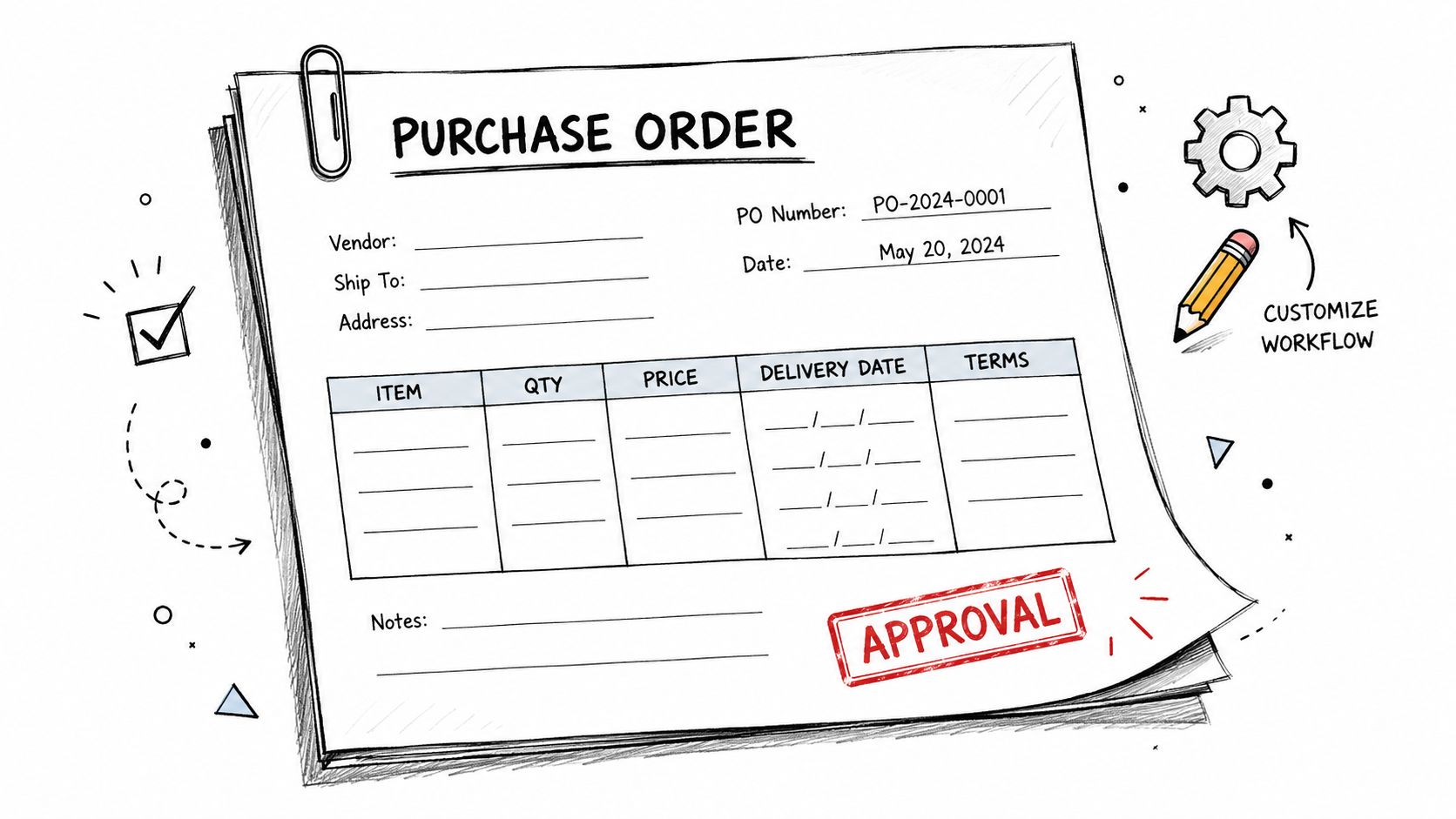
A blank PO invites inconsistency. One employee includes delivery terms, another leaves them out, and a third uses an old supplier address copied from a previous order. Templates turn the repeated parts of purchasing into controlled fields, including item descriptions, quantities, prices, delivery dates, payment terms, and approval sign-offs.
Zynthoro's Purchase Administration module can support templates designed for supplier type or product category. A pharmaceutical SME might use one structure for raw materials and another for packaging. A catering company may need recurring standing orders for ingredients, while one-off equipment purchases require more justification and a different approval path.
The useful distinction is between standardization and rigidity. A good template makes the expected information easy to provide, but still lets an authorized user handle a legitimate exception. A bad template forces every purchase into the same shape, causing employees to work around the system.
Build templates around purchasing decisions
Start with recurring orders, because those expose repeated manual work quickly. Create separate templates for:
- Recurring purchases: Pre-fill stable supplier, delivery, and payment information.
- One-off orders: Require a clear business reason and supporting details.
- Category-specific purchases: Add fields that matter for materials, services, equipment, or subscriptions.
- Higher-risk commitments: Include additional approval checkpoints before dispatch.
Keep mandatory fields limited to information someone will use. If every request demands unnecessary detail, employees may return to email. Test the templates with 10–15 sample orders before wider rollout, as specified in the implementation guidance, and ask requesters where they hesitate or improvise.
Approval thresholds should be visible inside the workflow rather than hidden in a policy document. The person creating the PO should know what information will be required before the request reaches finance or a director.
3. Supplier Portal Integration and Self-Service Ordering
Supplier communication becomes expensive when every status question travels through email. Someone asks whether the PO was received, the supplier replies with a revised delivery date, and finance later asks for the invoice reference. Those messages may contain important information, but they don't automatically update the purchasing record.
A supplier portal creates a shared operating point. Vendors can receive order details, acknowledge requests, update delivery status, and submit invoices through a defined channel. Zynthoro connects supplier invoicing and order tracking with Purchase Administration, helping create a closed loop between what the business ordered, what the supplier says is happening, and what finance eventually receives.
That doesn't mean every supplier will adopt a portal immediately. Smaller vendors may prefer email, while larger suppliers may already operate through their own systems. Forcing every vendor into a new process on day one usually creates resistance and exceptions.
Start where communication costs the most
Begin with the top five suppliers, then expand after the workflow is stable. Choose vendors with frequent orders, recurring delivery questions, or regular invoice discrepancies. A short onboarding session can explain how suppliers receive orders, confirm dates, and attach invoices. Give suppliers a clear reason to participate, such as fewer status requests or faster invoice handling.
Track adoption qualitatively at first. Ask whether suppliers are confirming orders through the intended channel, whether delivery updates are arriving before a problem occurs, and whether invoice references are complete. Supplier performance data is only useful when the underlying updates are reliable.
For SMEs, the best portal isn't necessarily the one with the most supplier features. It's the one that removes the repeated conversations your team currently has to reconstruct manually.
A supplier portal should reduce questions, not create another inbox for the finance team.
4. Approval Workflows and Authorization Rules
A PO can sit untouched because nobody knows who owns the decision. An employee may send the request to a department manager, Finance, and a director at once, or wait while each assumes someone else is reviewing it. The supplier still expects confirmation, and the purchasing team loses time chasing an answer.
Clear authorization rules assign the route before the request is submitted. Zynthoro can direct a PO using factors such as supplier, department, cost center, and order amount. Routine office supplies might follow a shorter path, while production materials, software subscriptions, or unusual capital commitments can receive additional review. AI assistants can suggest approvers and flag details that appear inconsistent with policy. The people designated by the business retain final authority.
The plan notes use examples such as orders above €5,000 requiring Finance approval and orders above €20,000 requiring Director sign-off. Treat these as configurable examples rather than standard thresholds. Each SME should set limits according to its cash position, risk tolerance, and delegation structure.
Keep the workflow understandable
Start by recording who approves each type of purchase today. Then remove steps that exist only because ownership is unclear. A practical workflow should answer four questions:
- Who owns the budget: Name the person accountable for the department or cost center.
- Who checks financial risk: Send unusual or high-value commitments to Finance.
- Who confirms operational need: Include the warehouse, production, or project owner when their input affects the decision.
- Who can reject or return the PO: Show the correction route so employees can amend a request instead of starting again.
Review the rules quarterly. Headcount, supplier relationships, and spending patterns change, and an outdated routing rule can create unnecessary delays.
Senior staff should not receive every routine PO. At the same time, sending all requests to one general approver may improve speed while weakening budget control and operational accountability. The goal is to reserve judgment for exceptions while rules handle routine approvals and keep a clear record for later review.
5. Invoice Matching and Three-Way Reconciliation Automation
Finance often discovers purchasing problems after the commitment has already been made. The invoice arrives, the PO is stored elsewhere, and the receiving record may be incomplete. A person then compares documents manually, searches for missing delivery evidence, and decides whether a difference is a genuine error or an acceptable variance.
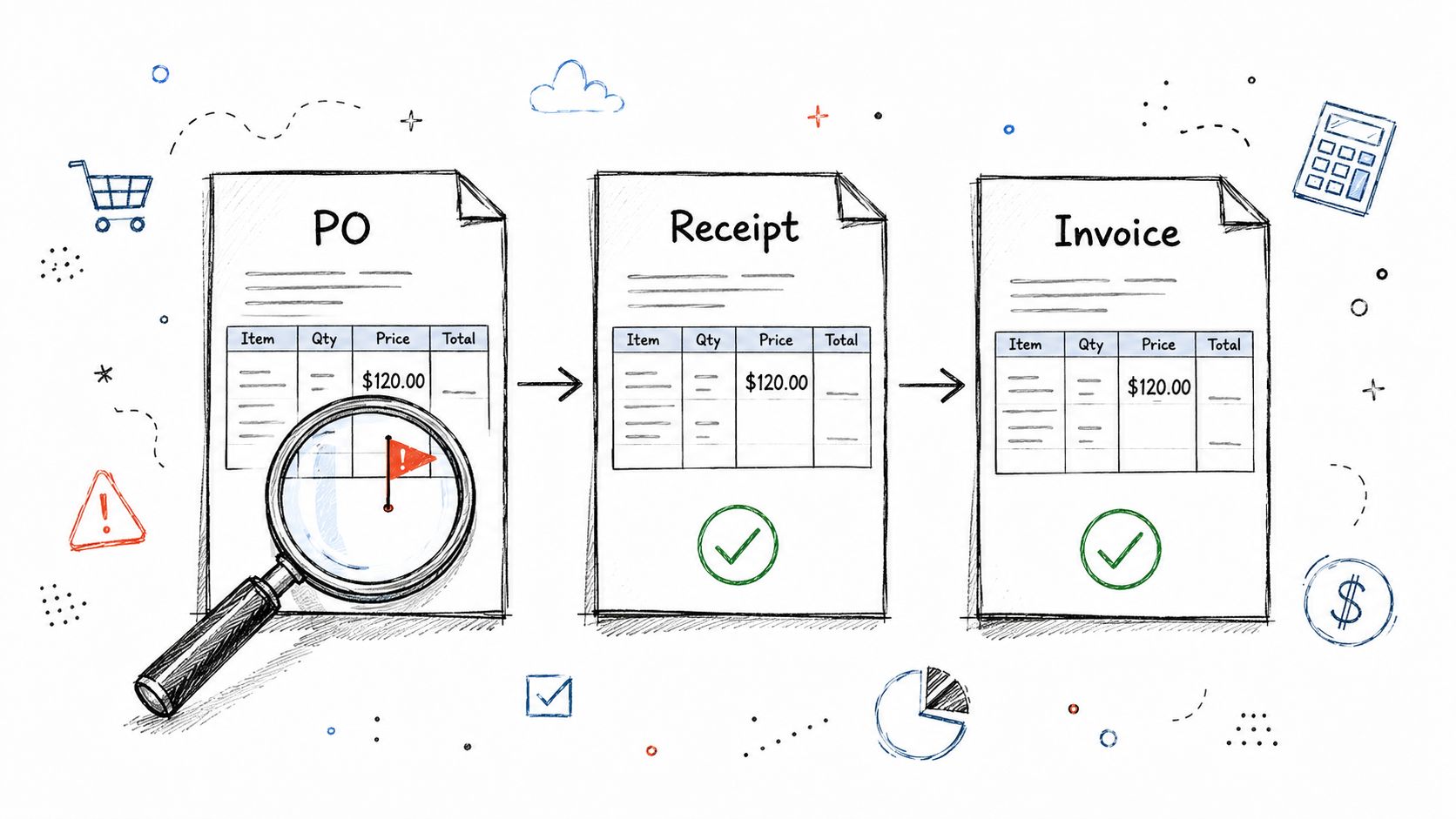
Three-way matching compares the purchase order, the goods receipt or receiving report, and the supplier invoice before payment. The documents need to align on quantity, price, and item description. Many organizations use an explicit variance tolerance, such as ±2%, rather than requiring every value to match exactly, as described in the three-way matching explanation.
Zynthoro keeps these records in one workflow through its Purchase Administration and Invoicing modules. A clean match can move forward without a manual comparison. A mismatch can enter a review queue with the relevant PO, receipt, and invoice together, so the reviewer isn't searching across disconnected systems.
Automate the match, not the exception
Require suppliers to include a clear PO reference on invoices wherever possible. Set tolerance rules based on the business's actual purchasing patterns, and make the exception queue simple enough for a finance user to resolve without technical support. The team should distinguish between a missing receipt, a price difference, a quantity difference, and a duplicate invoice.
Don't set an aggressive auto-approval policy before the receiving process is trustworthy. If warehouse staff record deliveries late, automation may flag valid invoices only because the evidence hasn't arrived. The system can expose that process weakness, but it can't compensate for missing operational discipline.
The workflow is strongest when it sends routine matches through quickly and gives people enough context to investigate the rest.
The following video provides a visual explanation of the matching process:
6. Inventory and Stock Level Integration with Purchase Orders
A purchasing system that doesn't know current stock can make ordering faster while making inventory worse. An employee may reorder materials already on the way, or miss a critical component because the warehouse count and procurement spreadsheet disagree. The result is tied-up cash on one side and stockouts on the other.
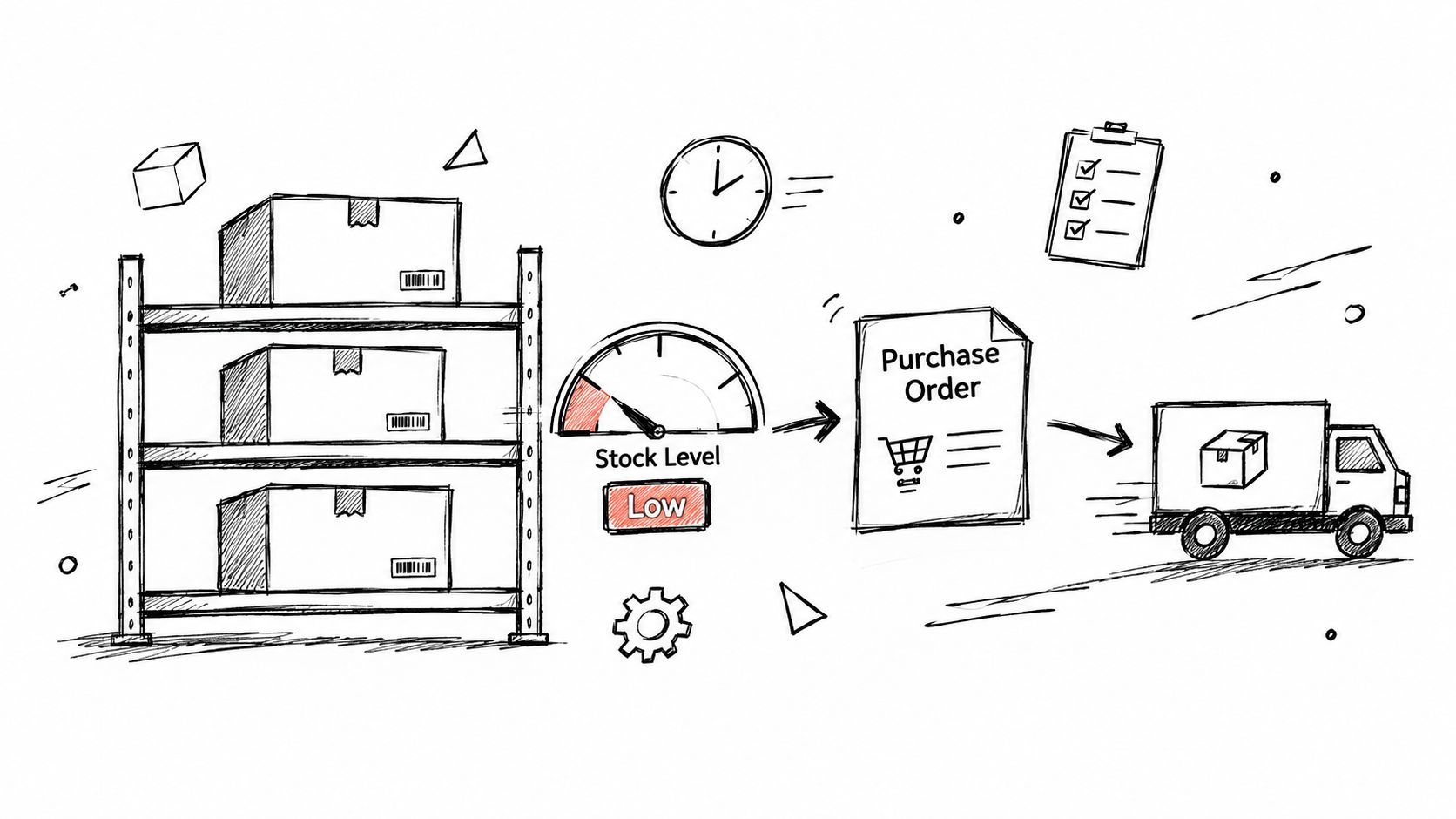
Zynthoro connects Purchase Administration with inventory data, allowing purchasing decisions to reflect current stock levels. Reorder points can trigger a PO workflow when quantities fall below the level the business has defined. For manufacturing SMEs, the value increases when purchasing is connected to production requirements, recipes, multi-level bills of materials, work orders, quality control, lot traceability, and cost roll-ups.
That doesn't mean every SKU should trigger an automated order. Demand volatility, supplier lead times, minimum order quantities, seasonal purchasing, and shelf life can make a simple reorder point unsafe. A food business may need different controls from a cosmetics manufacturer, even when both purchase raw materials.
Pilot the stock logic before committing
Start with the top 20 SKUs, especially items with stable demand and clear supplier lead times. Confirm that the stock records are accurate, then agree reorder points with suppliers and warehouse staff. Run a parallel process for 1–2 months before allowing automatic triggers to dispatch orders, as specified in the implementation guidance.
During the pilot, review:
- Stock accuracy: Compare system quantities with physical counts.
- Lead-time assumptions: Check whether suppliers deliver within the expected window.
- Safety stock: Adjust protection for demand swings and production priorities.
- Order ownership: Confirm who reviews an automatically generated PO before release.
The Agency catalogue option is described as a full non-ERP suite for agencies and multi-client teams, including accounting, inventory, project management, marketing, five company workspaces, and 25 users.
The strongest inventory integration doesn't eliminate procurement judgment. It gives that judgment better, more current information.
7. Purchase Analytics and Spend Visibility Dashboards
Many SMEs know total purchasing spend only after finance closes a period. That view arrives too late to answer practical questions, such as which departments are buying similar services, whether a supplier is becoming too important, or why unit costs are changing.
A purchase analytics dashboard turns each approved PO into usable operational information. Zynthoro can organize spend by supplier, category, department, project, or cost center, while showing order cycle time, payment-term compliance, supplier concentration, and unit-cost trends. Embedded AI can help identify patterns, such as repeated purchases from several suppliers that might be consolidated.
Clean analysis depends on consistent tagging. If one employee labels a software purchase as “IT,” another uses “subscriptions,” and a third leaves the category blank, the dashboard will reflect inconsistent input. The system can display the data, but the business still needs clear naming conventions.
Make dashboard reviews operational
Set baseline measures before automation. Record how long a normal PO takes, where approvals wait, how often invoices need manual intervention, and which suppliers receive the most orders. Then review the dashboard monthly with Finance and the people responsible for purchasing.
Look for decisions, not just charts:
- Supplier overlap: Identify vendors providing similar products or services.
- Concentration risk: Review dependence on one supplier and create a response plan.
- Terms compliance: Check whether agreed payment terms appear on orders and invoices.
- Project leakage: Find purchases that aren't tagged to the correct client, project, or cost center.
- Price movement: Investigate unit-cost changes before they become budget surprises.
A manufacturing SME might use this view to simplify its supplier base. A digital agency might discover that several teams are purchasing similar software independently. In both cases, analytics only creates value when someone owns the resulting negotiation, consolidation, or policy change.
8. Audit Trails and Compliance Reporting for Purchase Controls
An approved PO is more than a document sent to a supplier. It is evidence of who requested a commitment, who authorized it, what changed, and how the business decided to pay. When those details sit across email, spreadsheets, and chat, an audit becomes a reconstruction exercise.
Zynthoro records PO creation, edits, approvals, and rejections with the user, timestamp, and reason. Its compliance and security controls include role-based access and audit trails designed to support GDPR readiness, VAT processes, internal controls, and financial review. Reports can help Finance examine authorization compliance and segregation of duties without collecting screenshots from multiple systems.
The word immutable deserves careful handling in any software evaluation. An audit trail is only useful when access is controlled, changes are recorded consistently, and the organization has a defined retention policy. Configure roles before launch, test what each role can edit, and document how corrections are handled.
Treat compliance as a routine report
Run compliance reports quarterly rather than waiting for an external review. Give Finance and Compliance leads a regular view of rejected orders, approvals outside the expected path, missing supplier information, and users with excessive access.
The implementation guidance recommends retaining audit logs for at least 7 years under EU accounting standards. Confirm the applicable retention obligations for the business's jurisdiction and records before setting the final policy. Retention alone isn't compliance if the team can't retrieve or interpret the records.
Operational rule: a control that only works during an audit isn't a control your team can rely on.
Use audit findings to refine approval rules, role permissions, and supplier data requirements. Good reporting should show where the process is being bypassed, not merely confirm that a report exists.
Purchase Order Automation, 8-Resource Feature Comparison
| Solution | Core features | Quality / UX ★ | Value & Pricing 💰 | Target audience 👥 | Unique selling points ✨ |
|---|---|---|---|---|---|
| 🏆 Zynthoro: AI-Native Purchase Order Automation | Unified PO + invoicing + inventory; AI assistants; voice input; EU-hosted | ★★★★★ Real-time sync; mobile & desktop parity | 💰 Lower TCO vs 5+ tools; Kickstart lifetime + monthly plans | 👥 SMEs, growth-stage teams, light manufacturers (F&B, pharma, cosmetics) | ✨ Embedded Claude AI; GDPR-ready EU hosting; hands-free assistants; BOM & lot traceability |
| Purchase Order Templates & Customizable Workflows | Industry templates; conditional fields; bulk PO generation; versioning | ★★★★☆ Speeds PO creation to <2 min | 💰 Saves time & errors; low setup effort | 👥 Procurement teams, SMEs, service & manufacturing | ✨ Template versioning; multi-language; auto-populate terms |
| Supplier Portal Integration & Self-Service Ordering | Supplier self‑service; delivery updates; invoice submission; API connectivity | ★★★★☆ Cuts emails ~80%; better status visibility | 💰 Faster fulfillment; fewer reconciliation costs | 👥 Suppliers, procurement teams, larger vendor ERP integrations | ✨ Two‑way communication; supplier metrics; invoice pre-matching |
| Approval Workflows & Authorization Rules | Role/amount rules; parallel/sequential flows; escalations; mobile notif. | ★★★★★ Slashes approval cycles (days → hours) | 💰 Prevents unauthorised spend; reduces finance bottlenecks | 👥 Finance, managers, department heads | ✨ AI approver suggestions; automatic escalation; audit trail |
| Invoice Matching & 3‑Way Reconciliation Automation | PO ↔ receipt ↔ invoice auto-match; tolerance rules; quarantine queue | ★★★★★ High auto-match rates; fast reconciliations | 💰 Cuts AP workload ~50%; catches overcharges | 👥 Accounts payable, finance teams | ✨ Bulk uploads; price/qty variance rules; auto-escalation for mismatches |
| Inventory & Stock Level Integration with POs | Auto-PO at reorder points; multi-location; lot/serial traceability; safety stock | ★★★★★ Improves OTIF; reduces stockholding | 💰 Lowers carrying costs; optimizes reorder frequency | 👥 Manufacturers, F&B, pharma, distributors | ✨ Multi-level BOM sync; production & forecast integration; traceability for recalls |
| Purchase Analytics & Spend Visibility Dashboards | KPI dashboards; drill-down; supplier concentration & cycle-time metrics | ★★★★☆ Actionable insights; AI recommendations | 💰 Reveals savings & consolidation opportunities | 👥 Procurement leads, finance, execs | ✨ Claude-driven recommendations; spend tagging & alerts |
| Audit Trails & Compliance Reporting for Purchase Controls | Immutable logs; RBAC; segregation of duties reports; VAT/GDPR support | ★★★★★ Simplifies audits; compliance-ready | 💰 Reduces audit time/costs; regulatory peace of mind | 👥 Compliance, finance, auditors | ✨ Built-in GDPR retention; one-click evidence for audits |
Build a Purchase Process That Holds Together
Purchase order automation works best as an operating model, not as a faster way to generate PDFs. SMEs should begin by documenting the current process from request to payment. Follow one ordinary purchase and one difficult purchase through email, chat, inventory, approvals, receiving, invoicing, and accounting. The gaps will usually appear in the handoffs.
Next, clean the supplier and inventory data. Remove duplicate supplier records, confirm payment terms, standardize item names, and check that stock quantities reflect reality. Automation can route incomplete data more quickly, but it won't make that data reliable. A clean starting point gives every later report and approval rule a better foundation.
Pilot the process with a small group. Use a few purchase templates, a limited supplier set, and approval rules that reflect real authority rather than an idealized organization chart. Test recurring orders separately from unusual purchases. Keep a manual exception route available, and record why each item left the automated path.
Once the PO workflow is stable, connect supplier and invoice processes. Encourage suppliers to include PO references, make delivery confirmations visible, and place matched documents together. For three-way matching, define which differences can pass within tolerance and which require a human review. The purpose isn't to force exact matches in every situation. It's to ensure the business understands and approves every meaningful difference.
Measure the workflow with operational metrics that people can act on:
- Cycle time: How long does a request take to become an approved PO?
- Touchless rate: How often does a PO move through without unnecessary manual handling?
- Exception volume: Which suppliers, categories, or departments generate the most reviews?
- Matching quality: Are missing receipts, wrong prices, or duplicate invoices causing the exceptions?
- Spend visibility: Can Finance explain purchasing by supplier, category, project, and department?
- Audit readiness: Can the team show who changed, approved, rejected, or paid an order?
The broader market context supports a connected approach. A market report places purchase order software at about USD 4.91 billion in 2025, with a projection of USD 8.69 billion by 2030 at a 12.1% CAGR, and identifies cloud deployment as a principal growth driver in its purchase order management market report. The same source says cloud captured 67.92% of procurement software market share in 2025. For an SME, that points toward cloud deployment, ERP or accounting integration, and approval routing rather than another isolated desktop tool.
A separate 2025 procurement benchmark reports that 78% of organizations use some form of automation for PO creation or routing, compared with 61% in 2022 and 68% in 2023. It also reports an 81.3% touchless PO rate for top performers, versus 41.0% for the median organization, and average processing costs of $17.29 for best-in-class teams compared with $73.83 for bottom-quartile peers, a 77% cost advantage associated with deeper automation. These figures from the procurement automation benchmark show why basic digitization isn't the same as mature straight-through processing.
That distinction matters for implementation. Recent coverage identifies format variability, incomplete supplier data, exception handling, and ERP integration as common sources of project difficulty. A project described as taking 60 days can extend beyond 6 months when integration proves harder than expected, according to WizCommerce's purchase order automation guide. Start with the highest-friction workflow, not the broadest possible rollout.
Zynthoro is relevant when an SME needs purchase order automation connected to inventory, accounting, invoicing, compliance, production, and wider operations. Its EU-hosted workspace and connected modules can reduce the number of places employees need to update, while embedded AI assistants support routine work and voice input. The practical decision is still yours: choose which exceptions should remain human, which can be handled by rules, and which patterns are safe for AI assistance.
Automate the workflow that wastes the most time today. Then expand only after supplier data, inventory records, approval rules, and exception ownership are reliable.
Zynthoro brings purchase orders, approvals, inventory, invoicing, accounting, supplier activity, and audit records into one EU-hosted workspace for SMEs. Visit Zynthoro to assess how a connected purchase order automation workflow can replace disconnected tools and give your team a clearer path from request to payment.